
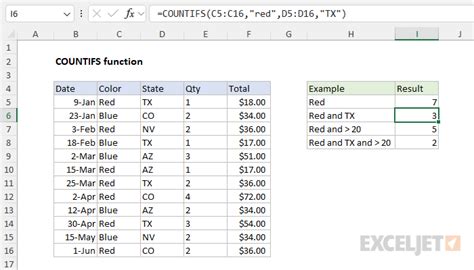
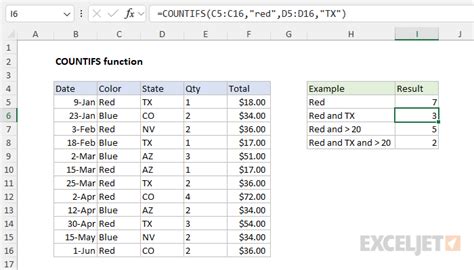
The COUNTIFS formula is a powerful tool in Excel that allows you to count the number of cells in a range that meet multiple criteria. It’s an extension of the COUNTIF formula, which only allows you to count cells based on a single criterion. With COUNTIFS, you can apply multiple conditions to different ranges, making it a versatile and useful function for data analysis.
Syntax of COUNTIFS
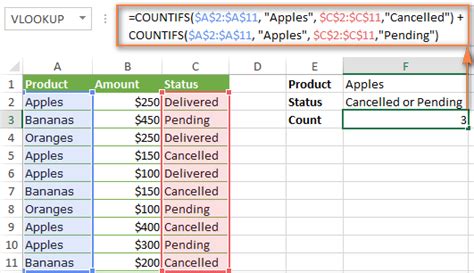
The syntax of the COUNTIFS formula is as follows:
COUNTIFS(range1, criteria1, [range2], [criteria2], ...)
range1is the first range of cells to check.criteria1is the criteria to apply torange1.[range2]and[criteria2]are optional and represent the second range and criteria, respectively. You can have up to 127 range/criteria pairs.
How to Use COUNTIFS
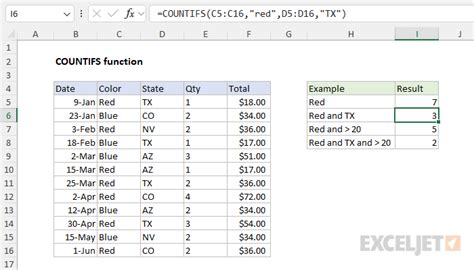
Identify Your Ranges and Criteria: Before you start, you need to know which ranges you want to apply the criteria to and what those criteria are.
Open Excel and Select the Cell: Go to the cell where you want the result to appear.
Start with the Formula: Begin typing
=COUNTIFS(.Specify the Range and Criteria: For each range you want to apply a criterion to, specify the range and then the criterion. Remember, the ranges must be of the same size if they are referencing each other.
Close the Formula: After specifying all your ranges and criteria, close the formula with
).Press Enter: Press Enter to execute the formula.
Examples of Using COUNTIFS
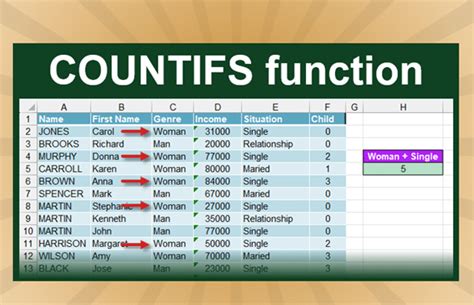
Example 1: Single Criterion
Suppose you have a list of sales figures and you want to count how many sales were made in the North region.
| Region | Sales |
|---|---|
| North | 100 |
| South | 200 |
| North | 300 |
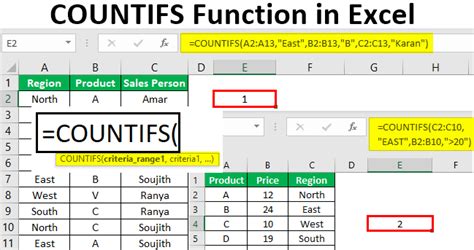
Formula: =COUNTIFS(A2:A4, "North")
This formula counts the cells in the range A2:A4 that contain the word “North”.
Example 2: Multiple Criteria
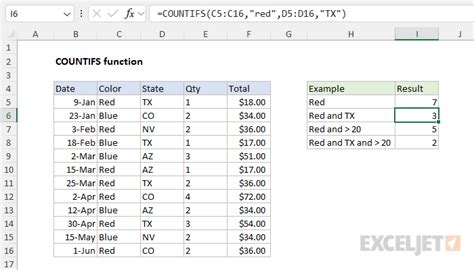
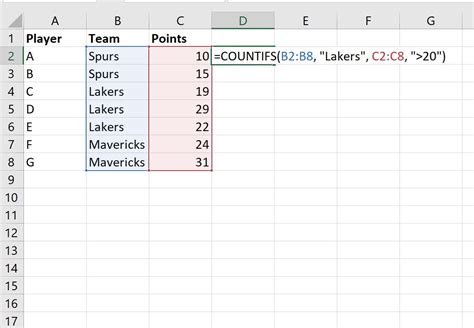
If you want to count sales made in the North region that are over $250, you can use:
| Region | Sales |
|---|---|
| North | 100 |
| South | 200 |
| North | 300 |
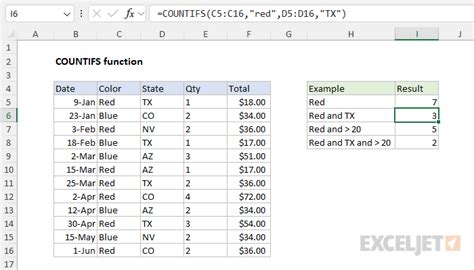
Formula: =COUNTIFS(A2:A4, "North", B2:B4, ">250")
This formula counts the cells in A2:A4 that contain “North” and the corresponding cells in B2:B4 that are greater than 250.
Example 3: Multiple Ranges with Different Criteria
Suppose you have a list of employees with their department and salary, and you want to count how many employees in the Marketing department earn more than $50,000.
| Department | Salary |
|---|---|
| Sales | 40000 |
| Marketing | 60000 |
| Marketing | 70000 |
Formula: =COUNTIFS(A2:A4, "Marketing", B2:B4, ">50000")
This counts the rows where the department is Marketing and the salary is greater than $50,000.
Tips and Tricks
- Using Wildcards: You can use wildcards (
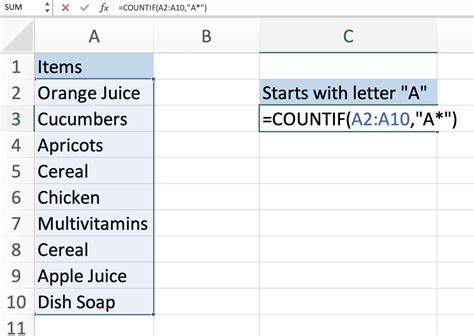
*,?) in your criteria. For example,=COUNTIFS(A2:A4, "N*")counts all cells starting with “N”. - Using Dates: When working with dates, ensure your criteria are in a date format Excel recognizes.
- Avoiding Errors: Make sure your ranges are the correct size and that your criteria are correctly formatted to avoid errors.
Common Errors
- #VALUE!: This error occurs if your criteria are not in the correct format or if the ranges are not of the same size.
- #REF!: This error happens if the reference to a range is incorrect.
Conclusion
The COUNTIFS formula is a powerful tool for counting cells based on multiple conditions. By understanding its syntax and how to apply it, you can perform complex data analysis tasks efficiently. Remember to use it in conjunction with other Excel functions to unlock its full potential.
Frequently Asked Questions
What is the maximum number of range/criteria pairs in COUNTIFS?
+
The maximum number of range/criteria pairs you can have in the COUNTIFS function is 127.
Can I use COUNTIFS with other Excel functions?
+
Yes, COUNTIFS can be used in combination with other Excel functions to perform more complex data analysis tasks.
How do I avoid common errors when using COUNTIFS?
+
To avoid common errors, ensure your criteria are correctly formatted, and your ranges are of the same size. Also, check that your references to ranges are accurate.
By mastering the COUNTIFS formula and understanding how to integrate it into your Excel workflow, you can significantly enhance your data analysis capabilities, making you more efficient and effective in your work.